
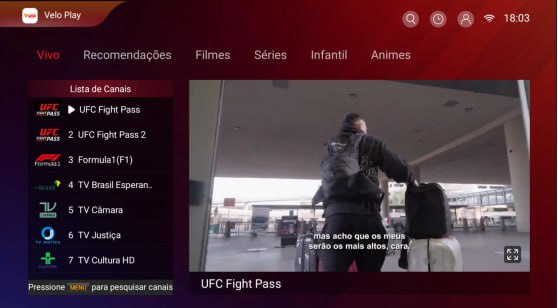
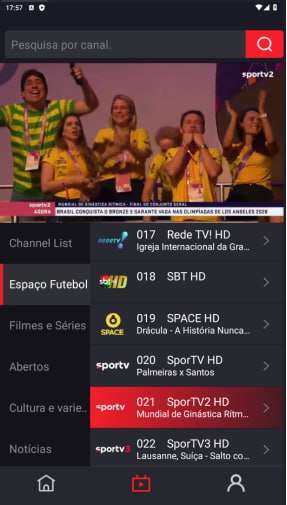
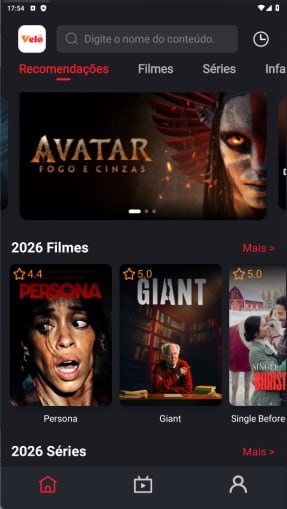
Velo Play is an entertainment app for Android that brings movies, TV series, anime, live sports, and more than 500 TV channels together in one place. Instead of switching between different apps, users can explore a variety of entertainment directly from a phone, tablet, Android TV, or TV Box.
The app is free to use and does not require account registration or login. Its simple setup also makes Velo Play convenient for users who want to watch content on a larger TV screen.
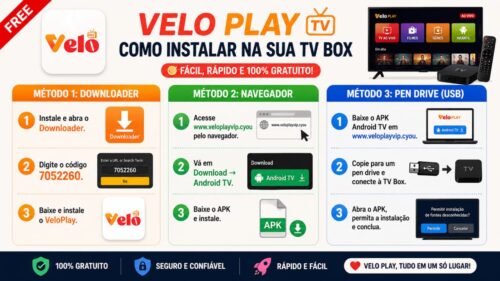
How to Install Velo Play on Android TV
There are several ways to install Velo Play on an Android TV or TV Box.
Method 1: Install with Downloader
- Install and open the Downloader app on your Android TV.
- Enter the Downloader code 7052260.
- Download the Velo Play APK.
- Open the downloaded file and complete the installation.
Method 2: Install Using a Web Browser
- Open a web browser on your device.
- Visit www.veloplayvip.cyou.
- Select Download → Android TV.
- Download the APK file and install Velo Play.
Method 3: Install with a USB Drive
- Download the Android TV APK from www.veloplayvip.cyou.
- Copy the APK file to a USB drive.
- Connect the USB drive to your Android TV or TV Box.
- Open the APK file and follow the installation instructions.
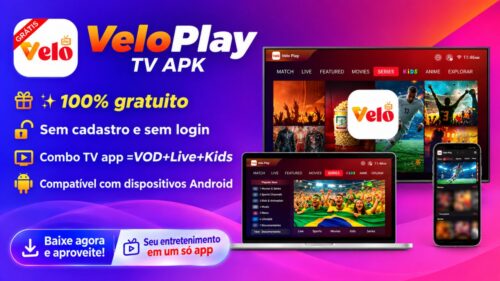
✨ 100% Free
🔓 No Registration or Login Required
📱 One APK for the Whole Family
🌎 Watch Anytime, Anywhere
📺 Compatible with Android Devices
Velo Play on Android
Velo Play is designed to provide an easy way to access different types of entertainment from one app. With support for Android devices and Android TV, users can watch on a mobile device or enjoy their favorite content on a larger screen.
No account is required to get started. Install Velo Play, open the app, and browse the available movies, series, anime, sports, and live TV channels.








Comments (0)
No comments yet. Be the first!