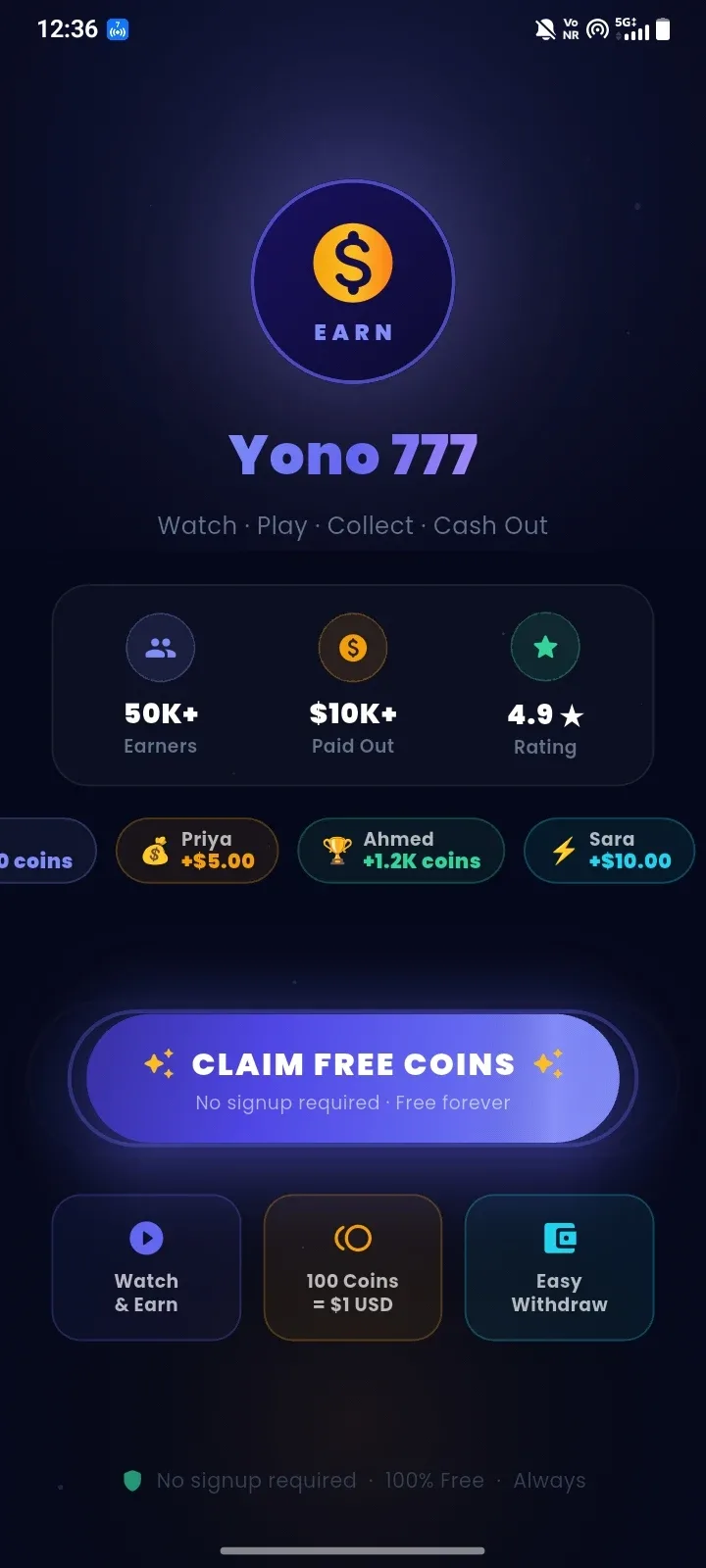
Yono 777 is an Android rewards app that combines casual mini-games, lucky spins, video tasks and a virtual coin system in one colorful mobile interface. Users can collect coins by watching advertisements, completing available activities and playing simple games such as Lucky Plinko, Fortune Slots and Money Runner.
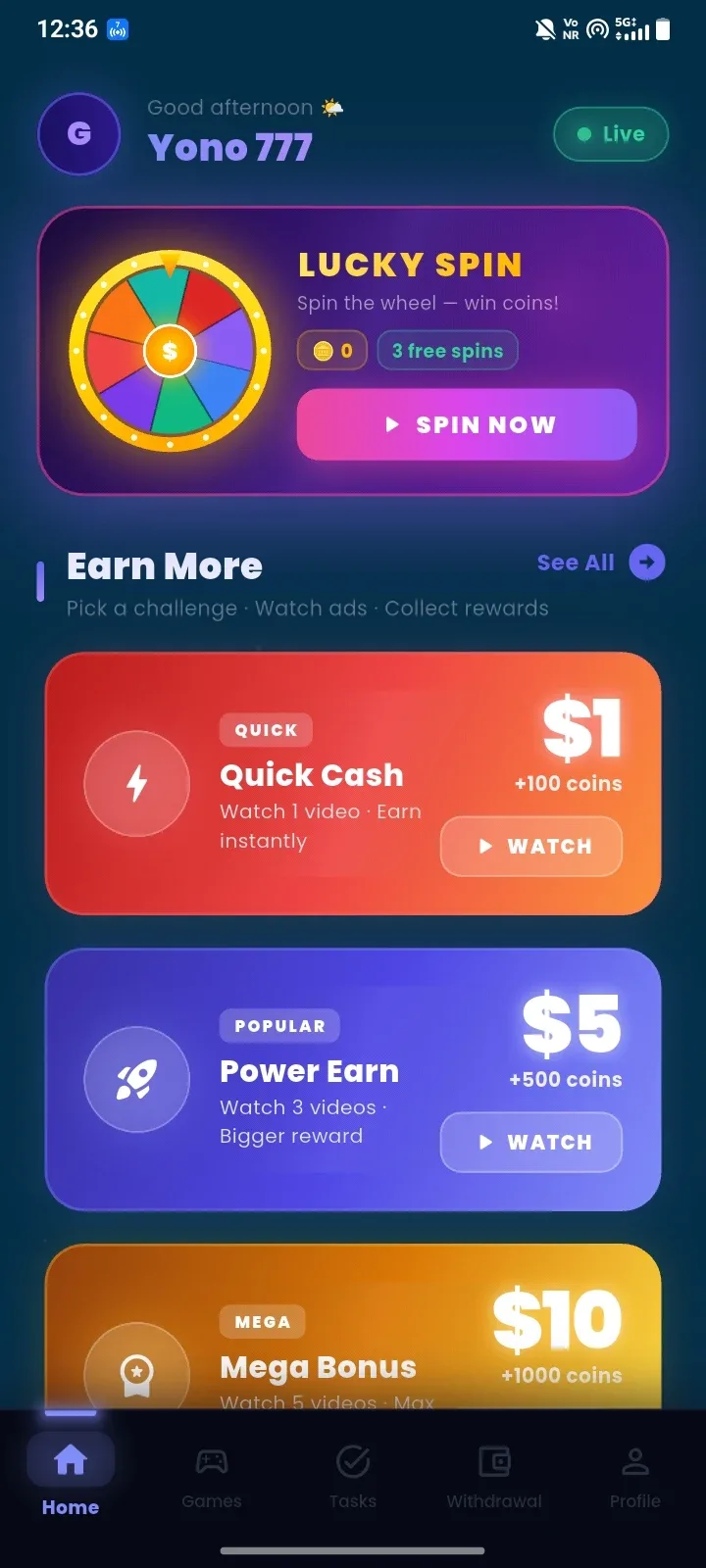
The app presents its main functions through five clearly labeled sections: Home, Games, Tasks, Withdrawal and Profile. Its dark background, bright reward cards and large action buttons make the available activities easy to find on a smartphone.
What Is Yono 777 APK?
Yono 777 APK is the Android installation package for the Yono 777 rewards and casual gaming app. The experience is built around earning virtual coins through spins, advertisements, tasks and short mini-games.
The interface displays a coin-to-dollar conversion and includes a separate withdrawal page. However, amounts shown inside the app should be treated as platform claims rather than guaranteed earnings. Users should verify the current rules, eligibility requirements and actual payment process before investing significant time in collecting coins.
Main Features of Yono 777
Lucky Spin with Free Attempts
The Yono 777 home screen includes a colorful Lucky Spin wheel. The interface shown provides three free spins, allowing users to spin the wheel and collect a random number of virtual coins.
The number of available spins and the rewards offered may change according to the app version, daily limits or current event rules.
Watch Videos to Collect Coins
One of the main earning methods in Yono 777 involves watching advertising videos. The home screen organizes these activities into different reward levels, including:
- Quick Cash: Watch one video to receive the displayed coin reward.
- Power Earn: Watch three videos for a larger reward.
- Mega Bonus: Complete a longer video task to collect more coins.
Advertisements may vary in length and availability. Reward values should always be checked inside the app before starting a task.
Casual Mini-Games
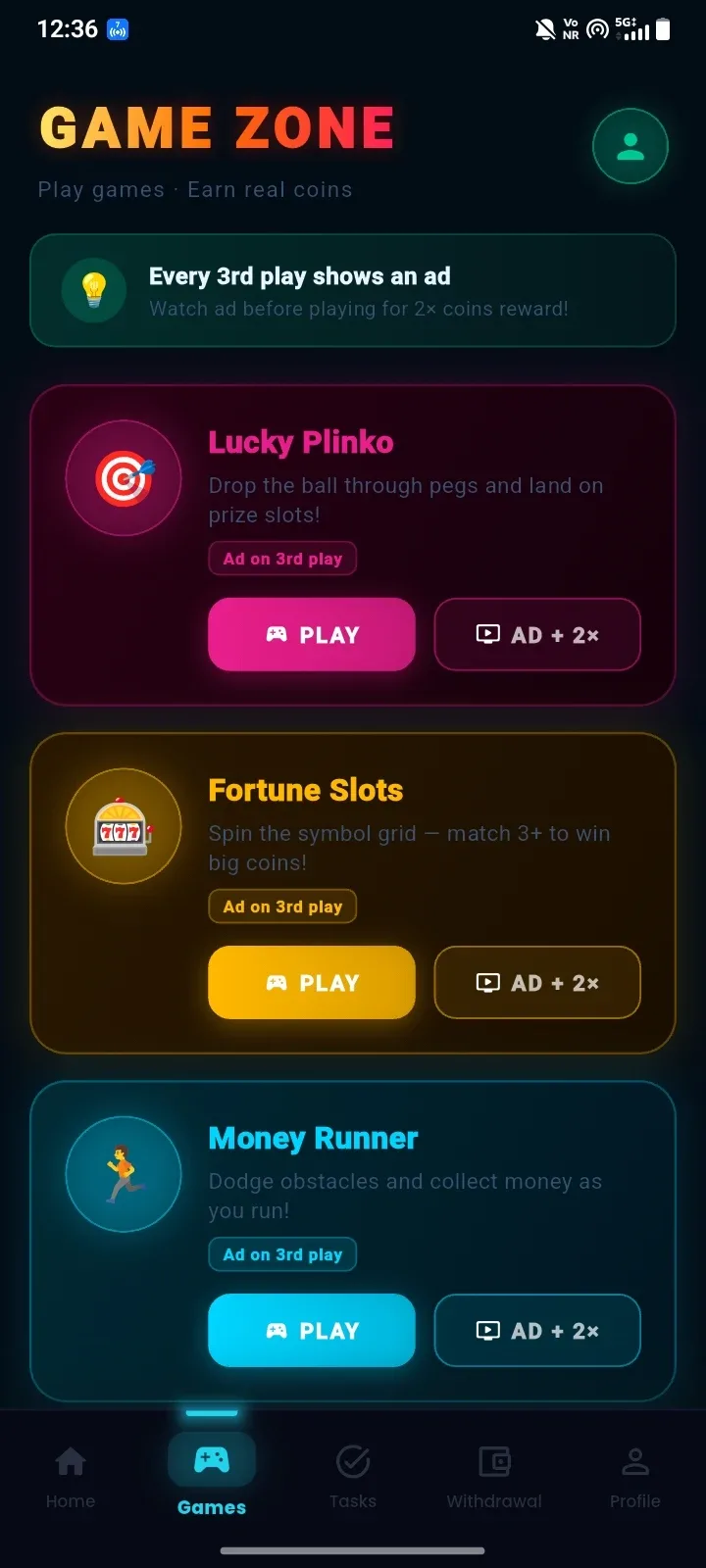
The Game Zone offers several lightweight activities that can be played without learning complicated controls. Visible games include Lucky Plinko, Fortune Slots and Money Runner.
Lucky Plinko
Lucky Plinko lets users drop a ball through a field of pegs. The final landing position determines the virtual coin result.
Optional Double Rewards
Each game provides a standard Play button and an Ad + 2× option. Watching an advertisement before playing may activate a doubled coin reward for that round.
The Game Zone also states that an advertisement appears after every third play. This means users should expect regular advertising while using the app.
Coin Balance and Progress Tracking
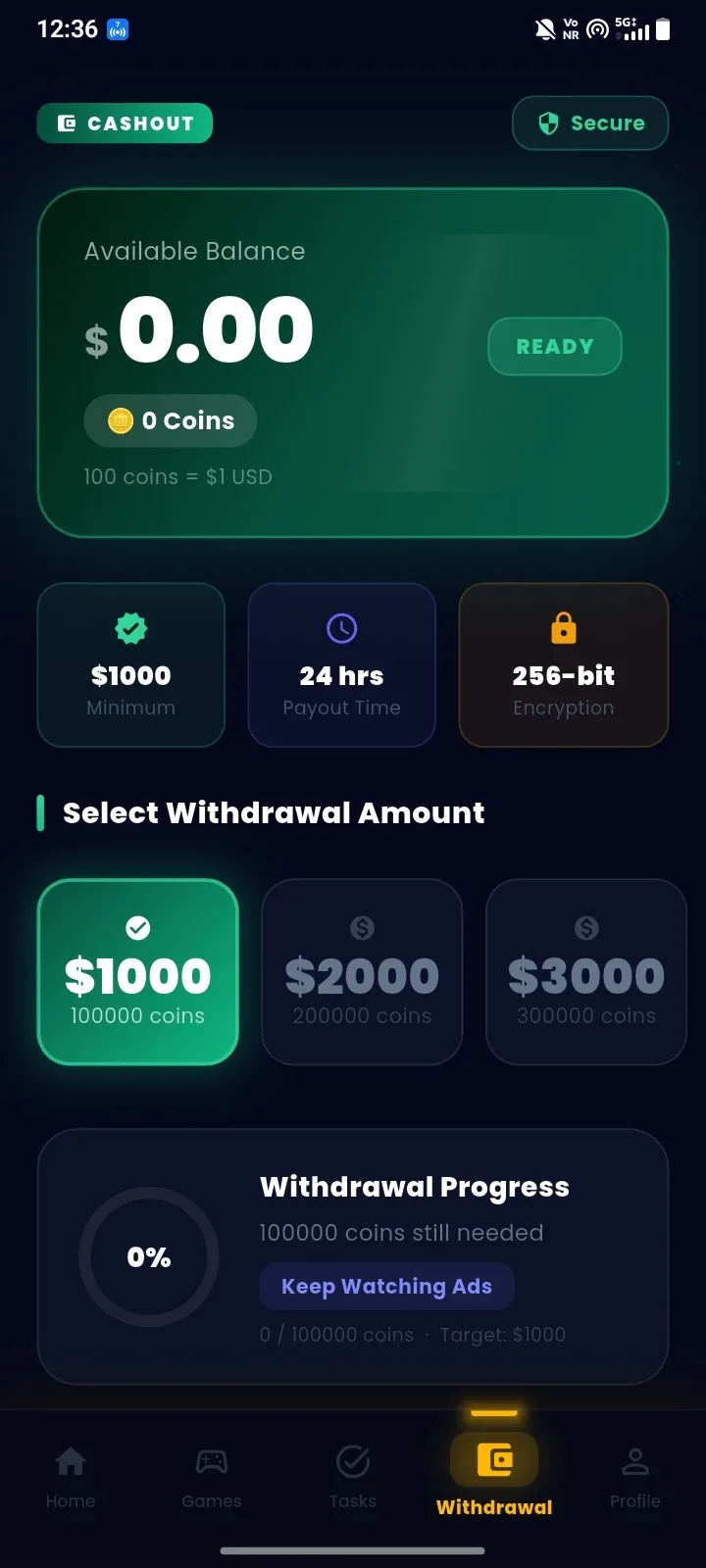
Yono 777 displays the current coin balance and its stated dollar equivalent on the withdrawal screen. The screenshot lists a conversion rate of 100 coins to $1 USD.
A circular progress indicator shows how many coins have been collected and how many are still required before reaching the selected withdrawal target.
Withdrawal Dashboard
The withdrawal section allows users to view their available balance and choose from the displayed withdrawal amounts. The screenshot shows options of $1,000, $2,000 and $3,000, with a minimum target of 100,000 coins for the $1,000 option.
The app also displays claims of a 24-hour payout time and 256-bit encryption. These statements are presented within the interface, but users should independently confirm the payment rules and platform reliability before relying on them.
Simple Bottom Navigation
The fixed navigation bar makes it easy to move between the app’s main areas:
- Home: Access Lucky Spin and video reward activities.
- Games: Open Lucky Plinko, Fortune Slots and Money Runner.
- Tasks: View additional activities and progress requirements.
- Withdrawal: Check balances, targets and cash-out progress.
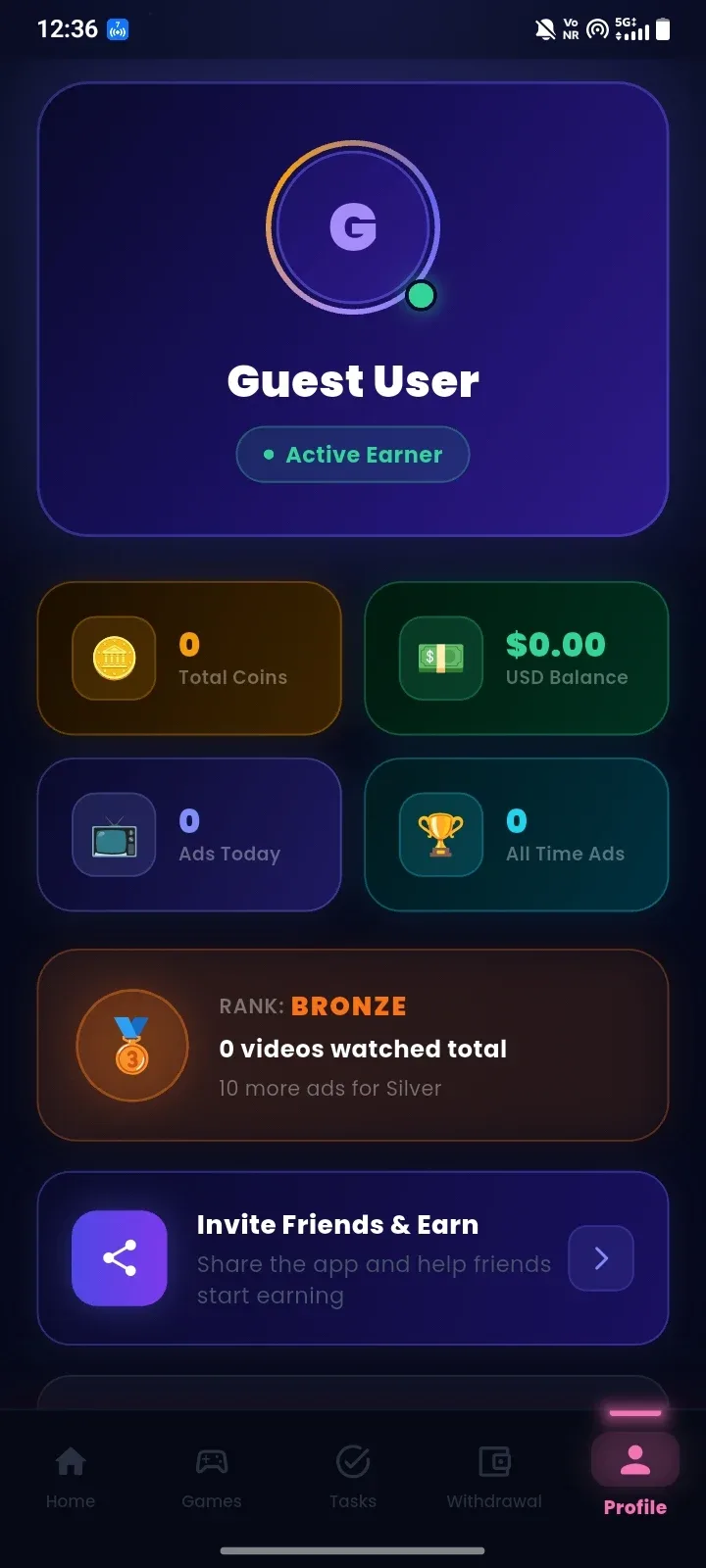
- Profile: Manage user-related information and settings.
How to Earn Coins in Yono 777
Users can collect virtual coins through several activities shown inside the app:
- Use the available free spins on the Lucky Spin wheel.
- Watch individual video advertisements from the Home section.
- Complete multi-video tasks for larger displayed rewards.
- Play the available mini-games.
- Select the Ad + 2× option when a doubled reward is offered.
- Open the Tasks section to check for additional activities.
The number of coins earned can depend on advertisement availability, task limits and the current app version.
How the Yono 777 Withdrawal System Works
The withdrawal page converts the user’s collected coins into a displayed dollar balance. Users must reach the required coin threshold before the corresponding withdrawal option becomes available.
Based on the screenshot, the first selectable amount is $1,000 and requires 100,000 coins. Higher options remain locked until their respective targets are reached.
Before spending substantial time collecting coins, users should check:
- Whether withdrawals are available in their country.
- Which payment methods are supported.
- Whether identity verification is required.
- Whether coins expire or have daily earning limits.
- Whether there are additional withdrawal conditions.
- Whether reliable payment evidence is available.
Coin values and payout estimates displayed in an app do not by themselves guarantee that money will be received.
How to Download and Install Yono 777 APK
- Download the Yono 777 APK from a source you trust.
- Open the downloaded file on your Android device.
- Allow installation from the selected browser or file manager if prompted.
- Review all permissions requested by the app.
- Tap Install and wait for the installation to finish.
- Launch Yono 777 and review its current reward rules.
If Android blocks the installation, check the security settings for the browser or file manager used to open the APK. Disable permission to install unknown apps again after installation if it is no longer needed.
Advantages of Yono 777
- Simple interface optimized for Android phones.
- Several ways to collect virtual coins.
- Free Lucky Spin attempts shown on the home screen.
- Multiple casual games with uncomplicated controls.
- Clear coin balance and withdrawal progress display.
- Optional advertisements for increased rewards.
Disadvantages of Yono 777
- Advertisements appear frequently during gameplay.
- The displayed minimum withdrawal requirement is very high.
- Reaching the coin target may require watching many videos.
- Reward and payout claims require independent verification.
- Task availability may depend on region and advertising inventory.
Frequently Asked Questions
Is Yono 777 free to download?
The app is presented as free to download and use. Users may need to watch advertisements to access certain rewards or increase the number of coins earned.
What games are available in Yono 777?
The screenshots show Lucky Plinko, Fortune Slots and Money Runner. Additional games may be introduced or removed in later versions.
How can I earn coins?
Coins can be collected through Lucky Spin, video advertisements, mini-games and available tasks. Some activities offer higher displayed rewards after watching an ad.
What is the minimum withdrawal amount?
The supplied screenshot displays a minimum withdrawal option of $1,000, requiring 100,000 coins. This amount may change in future versions.
Can Yono 777 run on a PC?
Yono 777 is designed for Android. It may run on a computer through a compatible Android emulator, although performance and account functions are not guaranteed.
Is there an iOS version?
An APK file cannot be installed on an iPhone or iPad. Only an official iOS release from the developer would work on Apple devices.
Final Thoughts
Yono 777 combines video tasks, Lucky Spin, virtual coins and simple mini-games in an easy-to-navigate Android app. Its colorful design and short activities may appeal to users who enjoy casual reward-based entertainment.









Comments (0)
No comments yet. Be the first!