
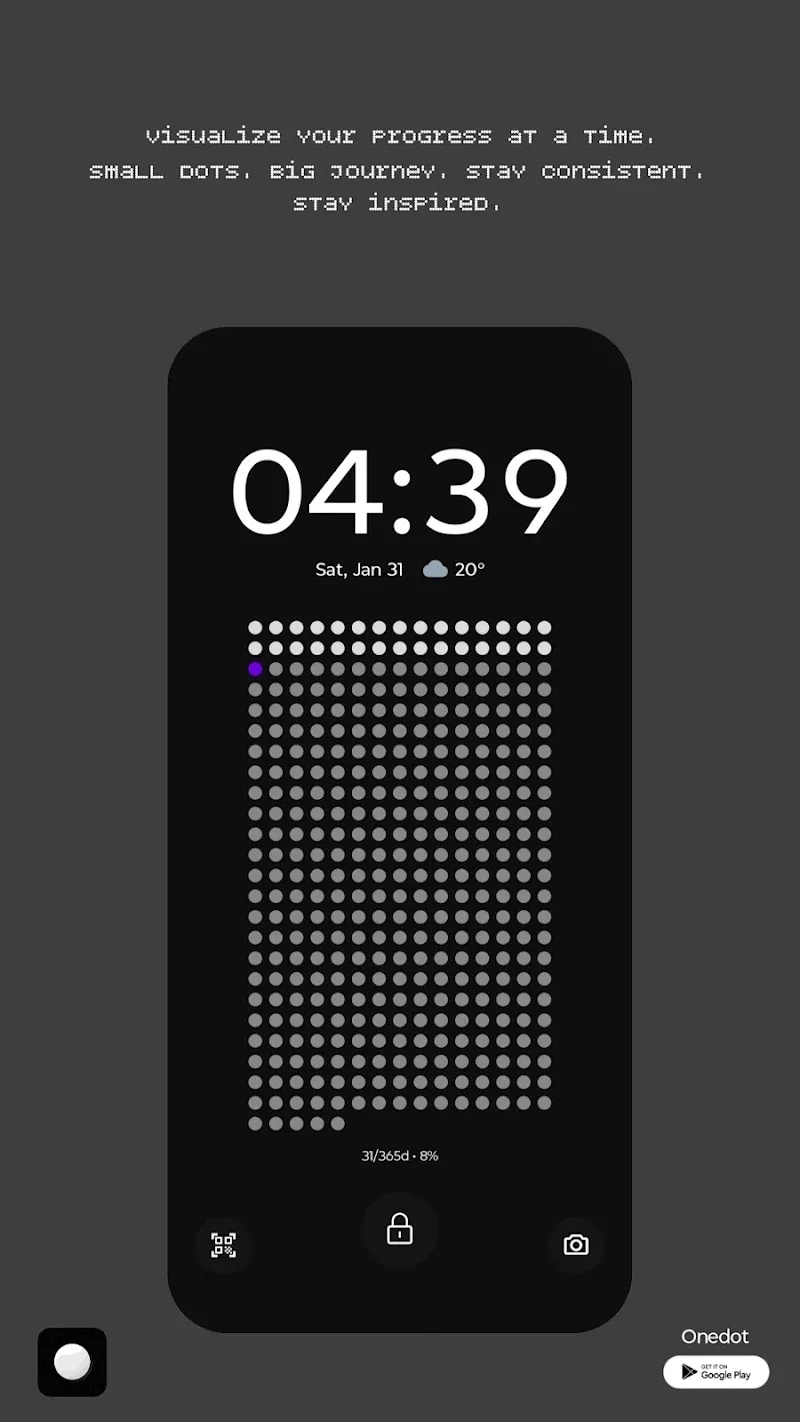
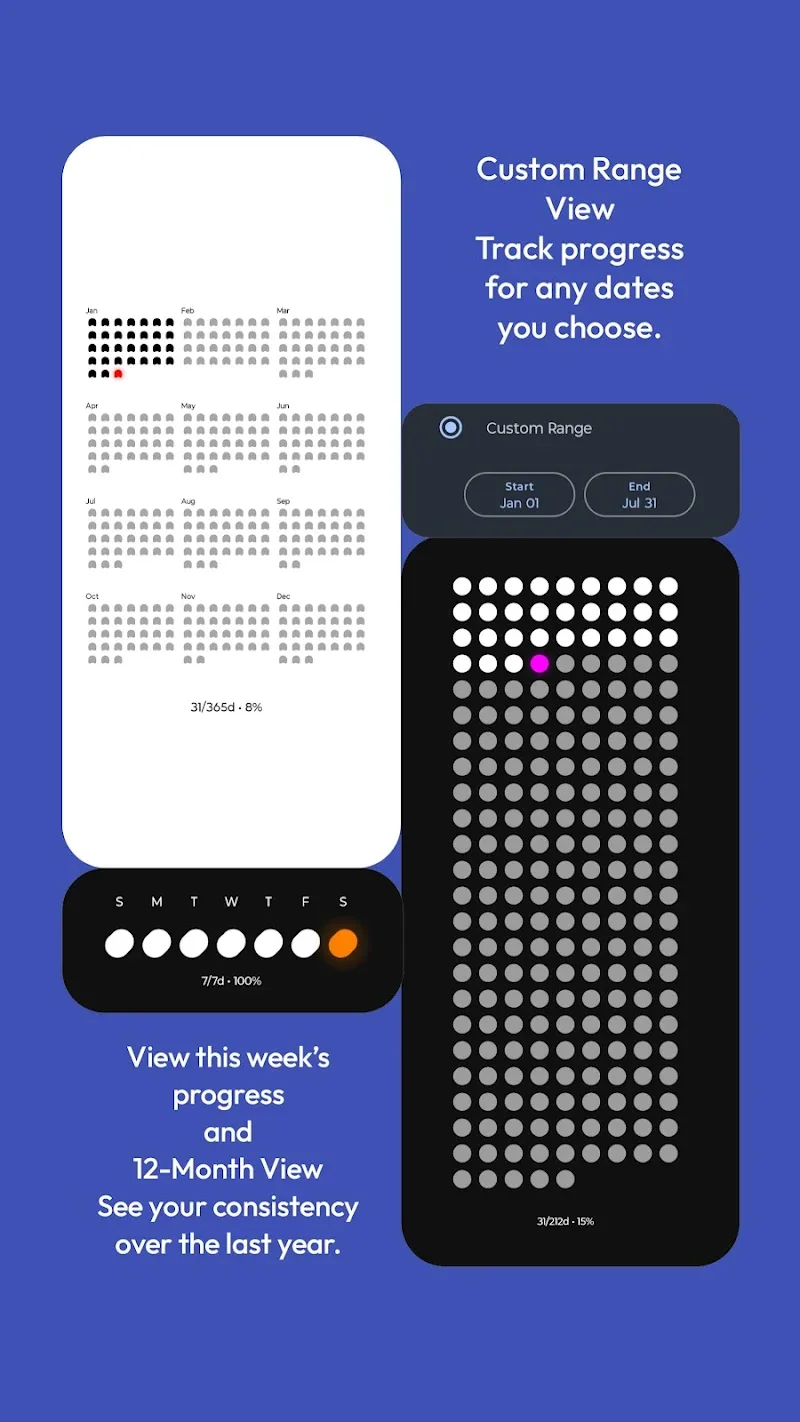
Have you ever wondered 365 days actually look like what when placed on a flat surface? Instead of the dry numbers on the wall calendar, OneDot – Wallpaper & Widgets transforms your flow of time into a minimalist artwork full of obsession. I have tried installing this app and immediately was attracted by the way it “visualizes” the finiteness of time through tiny dots. The feeling of seeing your one year shrinking just into the palm of your hand truly makes people must reflect about the way they are living every day.
VISUALIZE TIME THROUGH DOTS
OneDot brings a design philosophy completely different by transforming the entire home screen into a system of tracking time progress extremely intuitive. You will no longer see lifeless static wallpapers anymore, instead is a living entity.
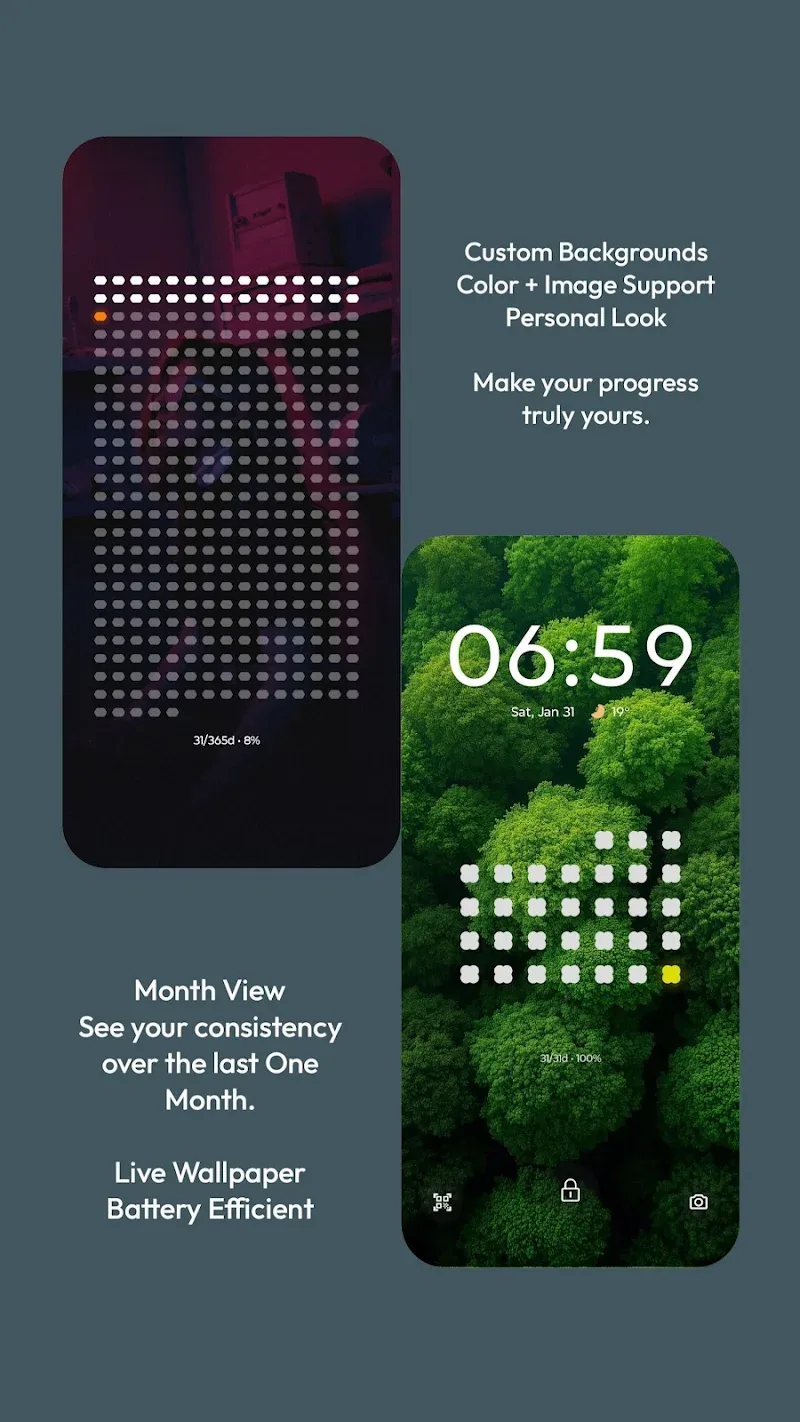
- Flexible time views: The app allows you to switch flexibly between display modes from general to detailed such as viewing the entire 365 days, focusing on the current month or dissecting each week.
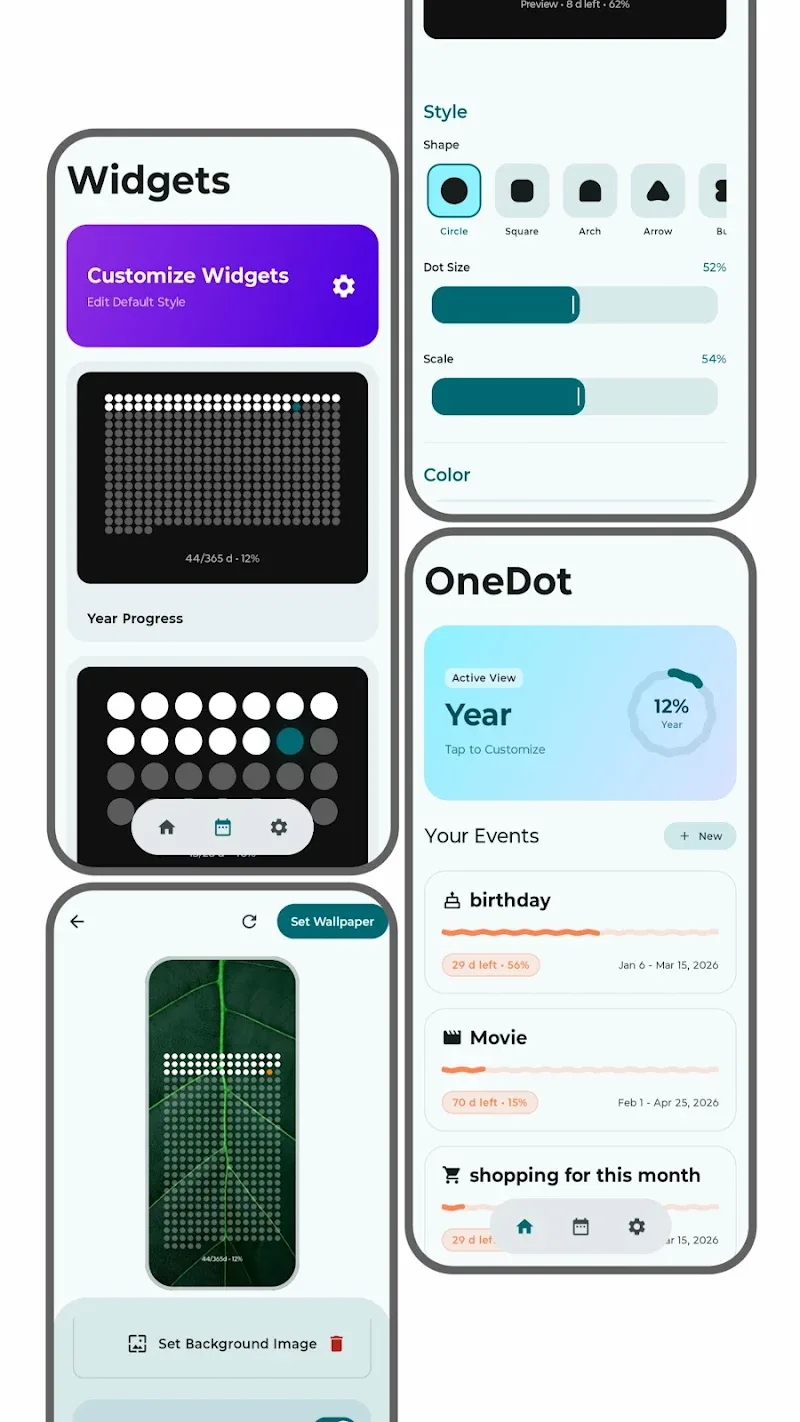
- Personal goal tracking: You can set up custom date ranges to count down for an important exam, a 100-day training challenge or simply track a special journey of the individual.
- Dynamic live wallpaper: The live wallpaper system is optimized to only update when necessary, ensuring not causing battery drain but still displaying accurately your position in the timeline.
DEEP CUSTOMIZATION AND WIDGETS
The point that makes me appreciate OneDot exactly is the ability to intervene deeply into aesthetics to fit with the personal style of each user. This app does not force you must follow any fixed template, everything is under your control.
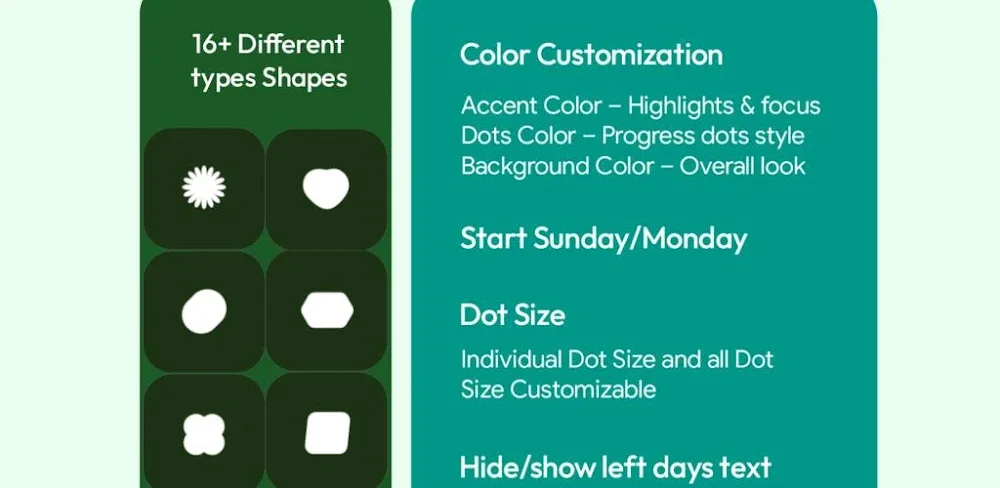
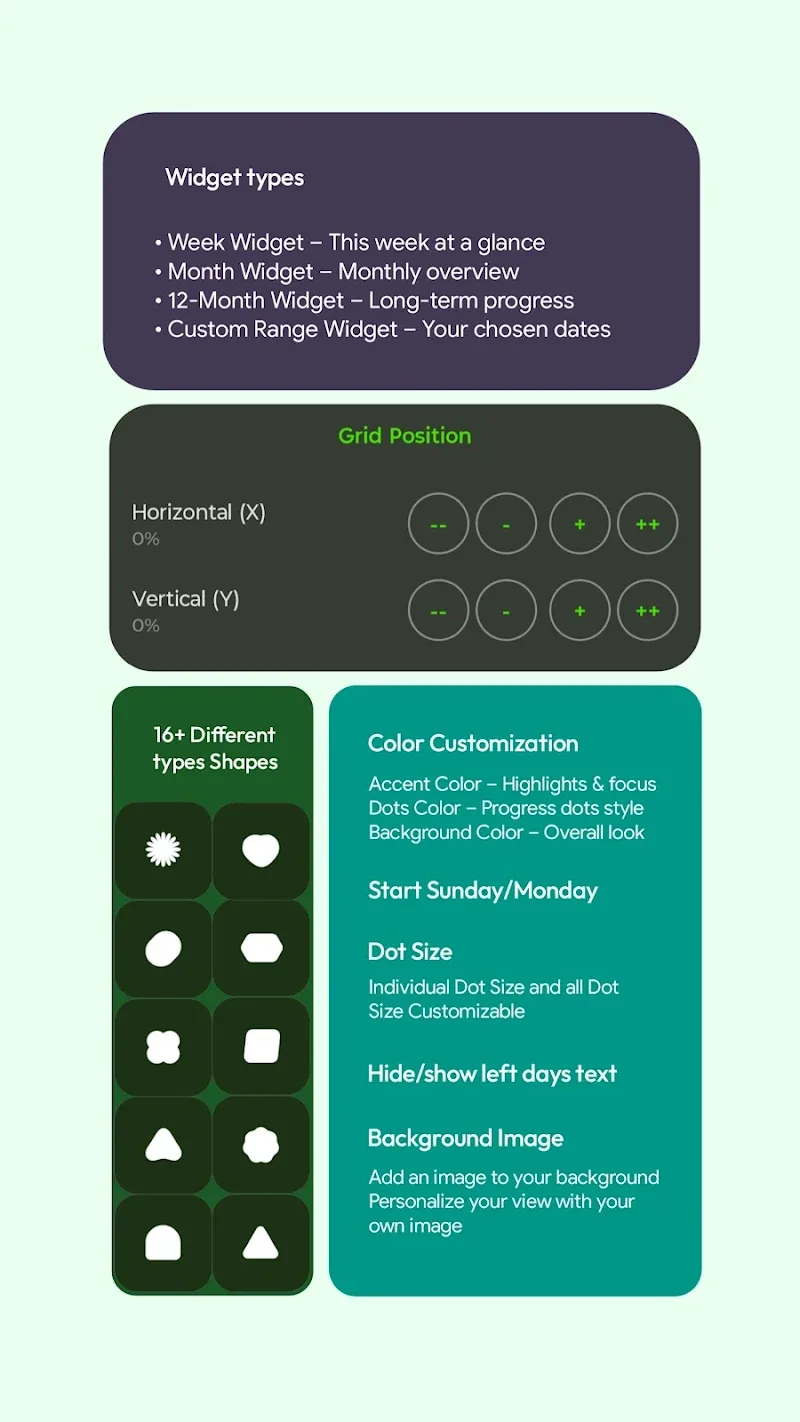
- Creative dot styling: Instead of just being monotonous dots, you can transform them into squares, hexagons, or even heart shapes and ghosts to create a unique personal trait.
- Layout and colors: The powerful styling tool allows users to change colors of past, future dots and especially the pure black background mode helping save battery maximum for OLED screens.
- Versatile home widgets: If not wanting to change the wallpaper, you still can use the comprehensive set of widgets to place time grids at any position on the screen, helping the tracking become more convenient than ever before.















Comments (0)
No comments yet. Be the first!