

It is a truth universally acknowledged, that a netizen in possession of good sense, must be in need of the most formidable DNS Changer tool, Change DNS. This petite, yet powerhouse tool requires no root and, like a chameleon, seamlessly works its magic on both Wi-Fi and Mobile Data connections. With a single click, you can effortlessly change your DNS to your desired one, almost as easy as flipping pancakes on a Sunday morning.
JUST ONE CLICK AWAY FROM A NEW DNS SETTING
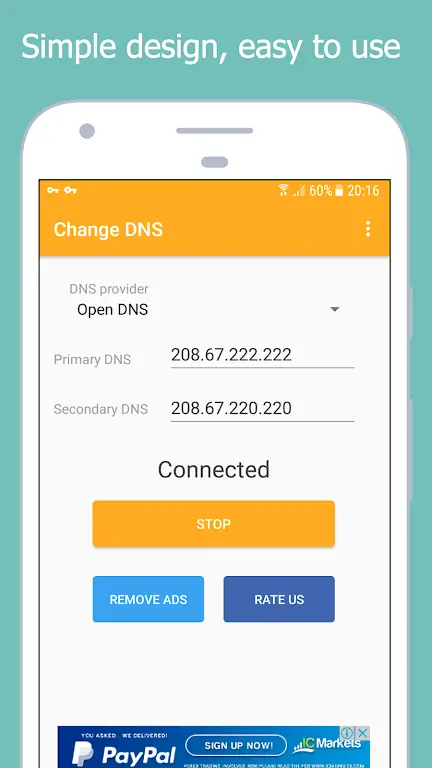
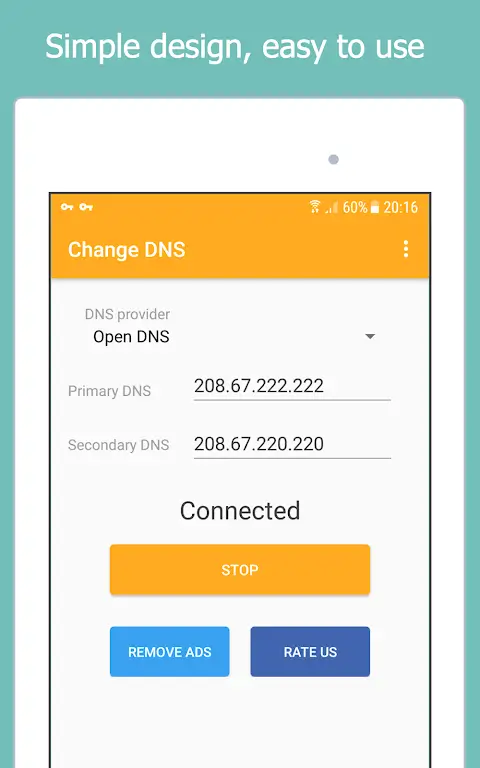
Picture this: A lazy Sunday morning, you’re sipping on your coffee, and the mere thought of tinkering with Domain Name Server (DNS) settings sends a chill down your spine. Enter Change DNS. With its simple UI that even a hamster could navigate, it lets you change DNS settings with just a single click. Talk about a walk in the park!
FREEDOM, UNBLOCKED: NAVIGATING THE RESTRICTED TERRAINS OF THE WEB
Do you ever yearn for the uncensored, unadulterated corners of the web, only to be blocked by annoying restrictions? Fret no more, for Change DNS acts as your digital locksmith, unblocking restricted web content faster than you can say “Open Sesame!” It’s like having a universal key to the vast digital world.
LIGHTNING SPEED BROWSING, A LA ‘CHANGE DNS’
We live in the era of supersonic jets and bullet trains. So why should our browsing speed be stuck in the stone age? Change DNS is like a secret turbo button for your browsing speed. After changing to an appropriate DNS server, browsing becomes as swift as a cheetah on steroids. Who knew we could turn internet browsing into an extreme sport?
AUTO DNS CHANGE: YOUR DEVICE BOOTING UP WITH FRESH DNS SETTINGS
The auto-change DNS feature makes your life as easy as pie. Once your device boots up, Change DNS automatically changes your DNS settings, like your personal internet chauffeur. Now that’s service with a digital smile!
ALWAYS ON THE MOVE? AUTO DNS CHANGE HAS GOT YOUR BACK!
We live in a mobile-first world where constant connection is a must. So, why should changing DNS settings be any different? When you turn on mobile data, Change DNS automatically changes your DNS. It’s like your personal internet butler, always at your service!
WHY DOES THE APP CREATE A VPN CONNECTION? IT’S LIKE A DISCREET BODYGUARD
To avoid the need for root permissions, the DNS Changer tool creates a local VPN connection. But worry not! This is not your typical data-consuming VPN connection. It’s more like a discreet bodyguard that doesn’t let your data leave your phone. It applies your configured DNS servers on both Wi-Fi and Mobile Data. The proof? The System VPN dialog doesn’t show any sent/received data info. But don’t just take our word for it; dig deep, and talk to the developer ([email protected]) before forming any hasty opinions. It’s all about the careful investigation, people!
In conclusion, isn’t it a breath of fresh air to see an app that serves its purpose while making it as fun and easy as a walk in the park? You can say bye-bye to tech-induced headaches and say hello to the dawn of a new, efficient, and convenient digital era with Change DNS.










Comments (0)
No comments yet. Be the first!